A small bar that stays on top
The pupil highlights text in any program and presses Read aloud. Voice chooses the voice, speed and volume. It uses the Windows voices already on the PC.

Optional add-on
A computer reader for classroom PCs, outside exams. Pupils use the same kind of reader in lessons that they would use in an exam, and your school can see how often it's used.
The pupil highlights text in any program and presses Read aloud. Voice chooses the voice, speed and volume. It uses the Windows voices already on the PC.
In apps that allow it, a yellow box follows the word being spoken. Snip reads text from part of the screen instead: the pupil drags a box over it.
Photosynthesis
Plants use light energy to turn carbon dioxide and water into glucose and oxygen.
Read Aloud +
For laptops with 16 GB of memory. The pupil presses Snip maths and drags a box over an equation. The maths is worked out on the laptop itself, so no picture of the screen leaves it.
The maths appears under the bar as it's read, so the pupil can follow it.

Evidence of a normal way of working, to support access arrangement decisions.
How often each pupil used the reader, how many words and for how long. Exams staff and SENCos see it on a Read Aloud tab and can download it.
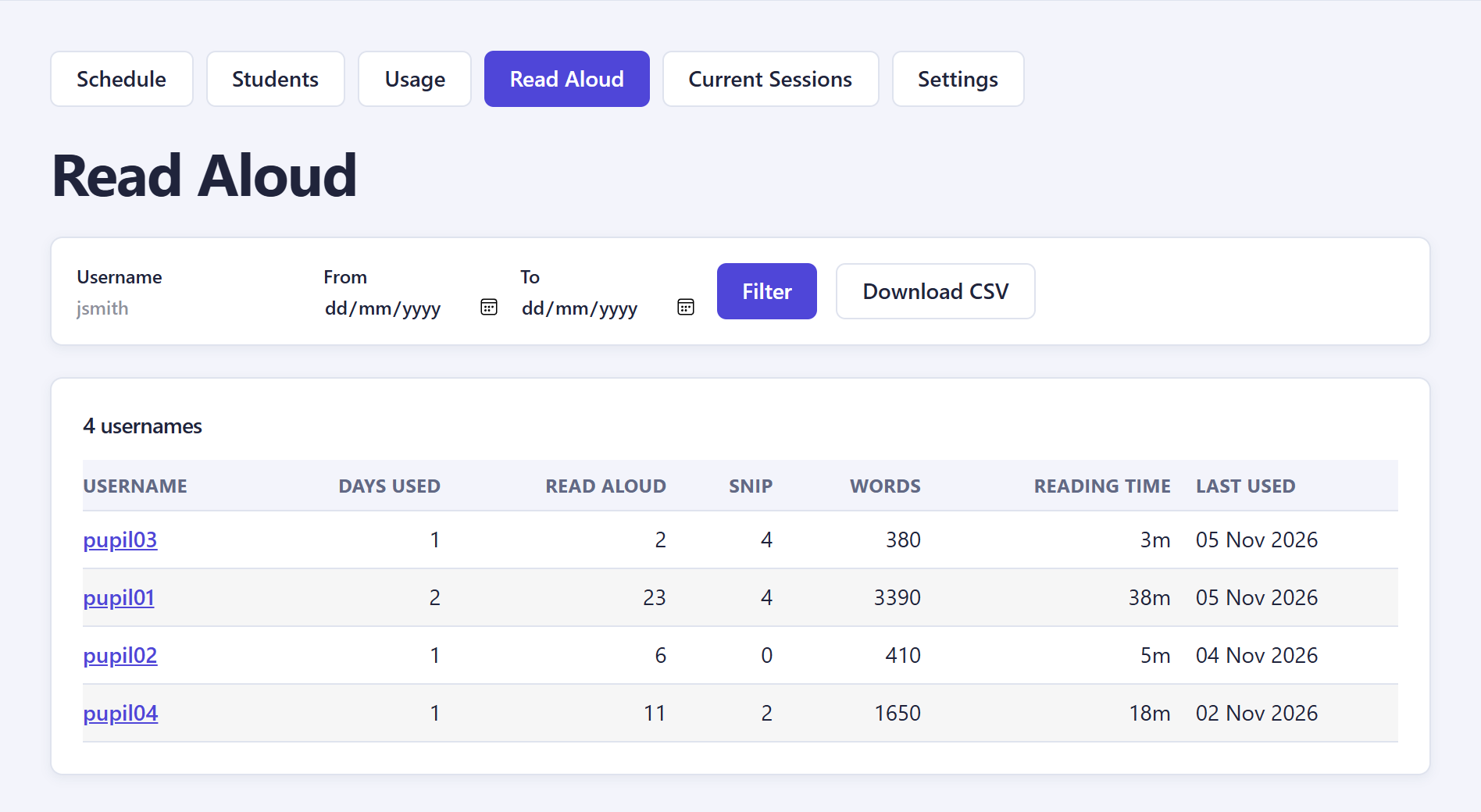
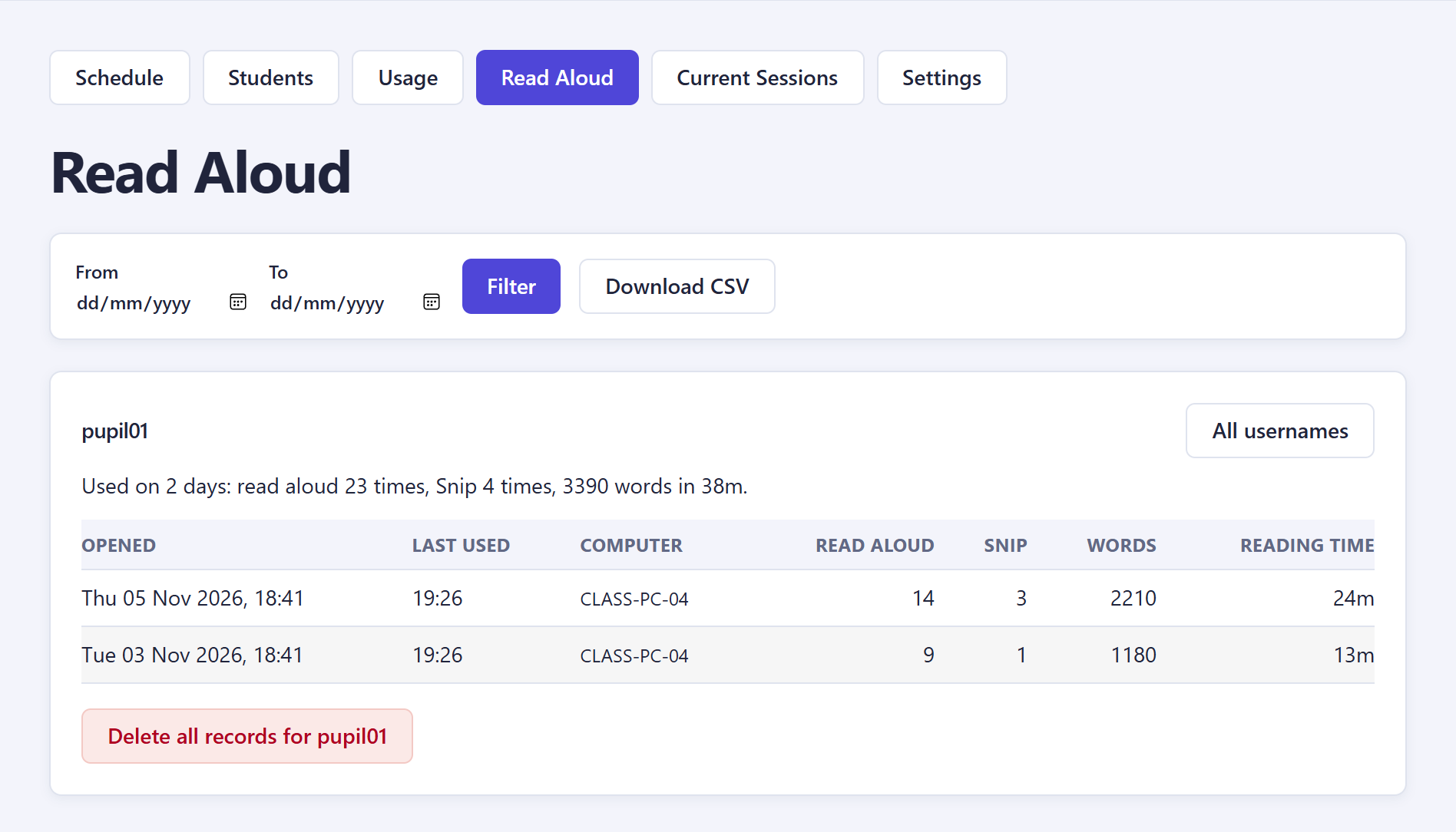
When, on which PC, and how much it read. The text that was read is never recorded. Usage goes to your school's server, never to us.
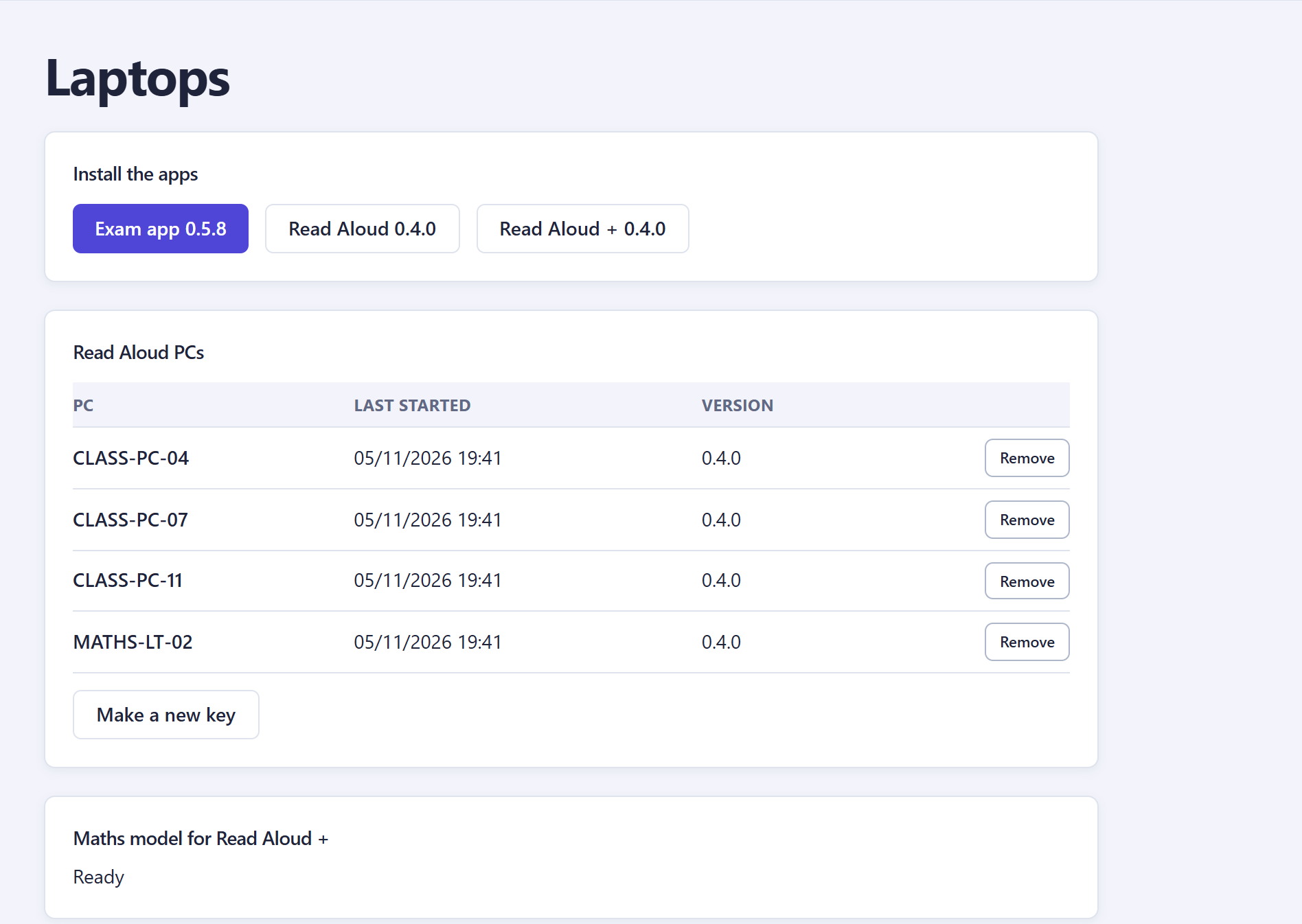
Download the installers, already set up for your server: Read Aloud for classroom PCs, Read Aloud + for laptops with 16 GB. Deploy them with Intune, Group Policy or by hand. Read Aloud + gets its maths model from your server.
Bought separately from Arrangely, with Read Aloud + included. Once your licence code includes it, the Read Aloud tab and installers appear.